You download a “free” invoicing app. You create your business profile, add a client, build your first invoice. Everything feels great.
Then you hit “Download PDF.”
“Upgrade to Pro to export PDFs.”
Or you try to create your fourth invoice.
“Free plan limited to 3 invoices per month.”
Or you just want to see your own data.
“Sign in to continue.”
This is the freemium trap. And if you've used any popular invoicing tool in the last five years, you've probably walked right into it.
The Game Everyone Is Playing
Here's how most “free” invoice tools actually work:
- 1Give you just enough to get hooked
- 2Store your data on their servers
- 3Wait until you depend on it
- 4Charge you to access your own work
It's not evil. It's just business. These companies have investors, employees, server costs. They need revenue. And the easiest way to get it is to make the free tier frustrating enough that you pay to escape it.
But here's the thing: invoicing is not complicated software. You're adding line items, calculating tax, generating a PDF. This is not AI. This is not real-time collaboration. This is arithmetic and formatting.
So why does it need a monthly subscription? Why does it need your data in the cloud? Why does it need an account at all?
What “Free” Usually Means
Let's look at what free tiers typically restrict:
| Feature | What You'd Expect | What You Often Get |
|---|---|---|
| Invoices per month | Unlimited | 3–5 max |
| PDF downloads | Of course | "Upgrade to export" |
| Your logo on invoice | Basic feature | Premium only |
| Multiple currencies | Common need | Paid add-on |
| Remove their branding | Reasonable | "Upgrade to remove" |
| Expense tracking | Part of invoicing | Separate paid tool |
| Data export | Your data, your right | "Contact sales" |
The pattern is clear. Take features that cost nothing to provide, hide them behind a paywall, and call it a “free plan.”
Why Offline-First Changes Everything
Most invoicing tools are web apps. Your data lives on their servers. This creates three problems:
Problem 1: You need internet to access your own invoices.
Ever tried to pull up an invoice while traveling? Or in a cafe with terrible wifi? Or when your internet goes down right before a client meeting?
Problem 2: Your data is hostage.
If the company shuts down, raises prices, or decides to “sunset” your plan, your data goes with it. Sure, most have an export feature. But have you ever actually used it? Do you know what format your data comes out in? Will it import into anything else?
Problem 3: You need an account.
Why? You're not collaborating with anyone. You're not syncing across devices. You just want to make an invoice. But they need your email so they can market to you, track your usage, and eventually convert you to paid.
VoxInvoice takes a different approach.
The app runs entirely on your computer. Your data sits in a local database file. No account. No internet required. No server to go down.
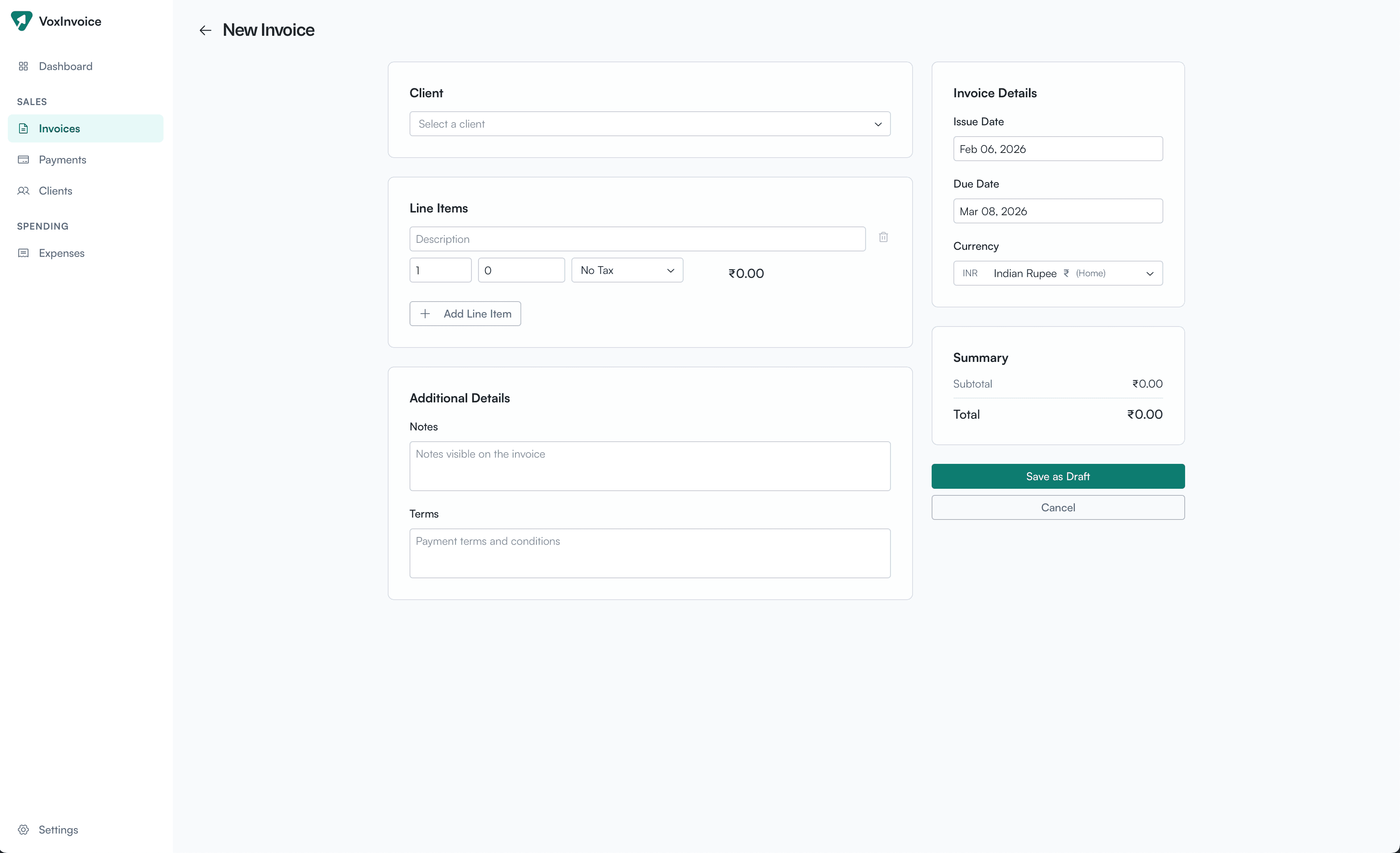
Create invoices in any currency — no internet connection required.
What VoxInvoice Gives You — for Free
Everything you actually need to invoice clients:
Unlimited invoices
Not 3 per month. Not 10 per month. Unlimited. Because limiting this costs us nothing and helps no one.
PDF generation
With your logo, your tax breakdown, your payment details. Download it. Email it. Print it. It's your invoice.
Multi-currency support
Bill in USD, EUR, GBP, AED, INR, or 40+ other currencies. Because your clients aren't all in one country.
Smart tax handling
GST for India with CGST/SGST splits. VAT for UAE and UK. Sales tax for the US. Set your country, and we configure it automatically.
Expense tracking
Log expenses, attach receipt photos, mark items as billable. Pull them into invoices with one click.
Payment tracking
Record partial payments, TDS deductions, bank references. Know exactly what you invoiced vs what you received.
Two businesses
Running a freelance practice and a side project? Manage both. Separate books, separate invoices, one app.
Full data export
Everything you've entered, in a single JSON file. Move to a new laptop. Keep a backup. Your data, your control.
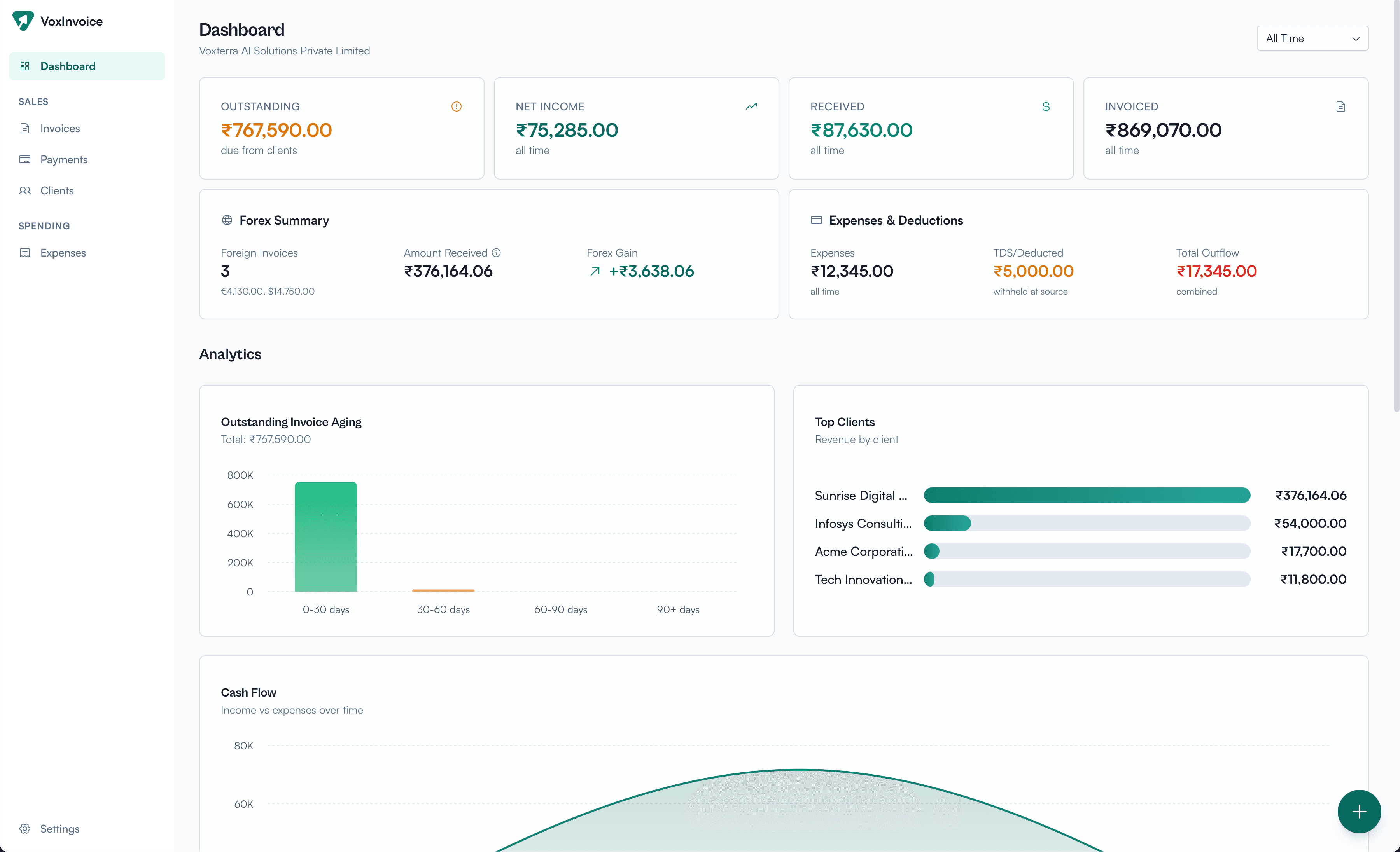
Your full financial picture at a glance — invoiced, received, outstanding, and more.
So How Do We Make Money?
Fair question. If we're giving all this away, what's the catch?
There isn't one. But there is a business model.
VoxInvoice Plus (coming soon) will offer:
These are features that genuinely cost us money to provide. Cloud infrastructure. Real-time sync. AI processing. If you need them, you'll pay for them. If you don't, the free tier does everything you need.
We're not artificially crippling the free version to push you toward paid. We're building a paid version that's actually worth paying for.
Your Data Stays With You
This part matters more than features.
When you use VoxInvoice, your invoices, expenses, clients, and payment records are stored in a SQLite database on your computer. We never see it. We can't access it. If you delete the app, the data stays (unless you delete it too).
Want to back it up? There's a one-click export that saves everything to a JSON file. Moving to a new computer? Import that file and you're back in business. Literally.
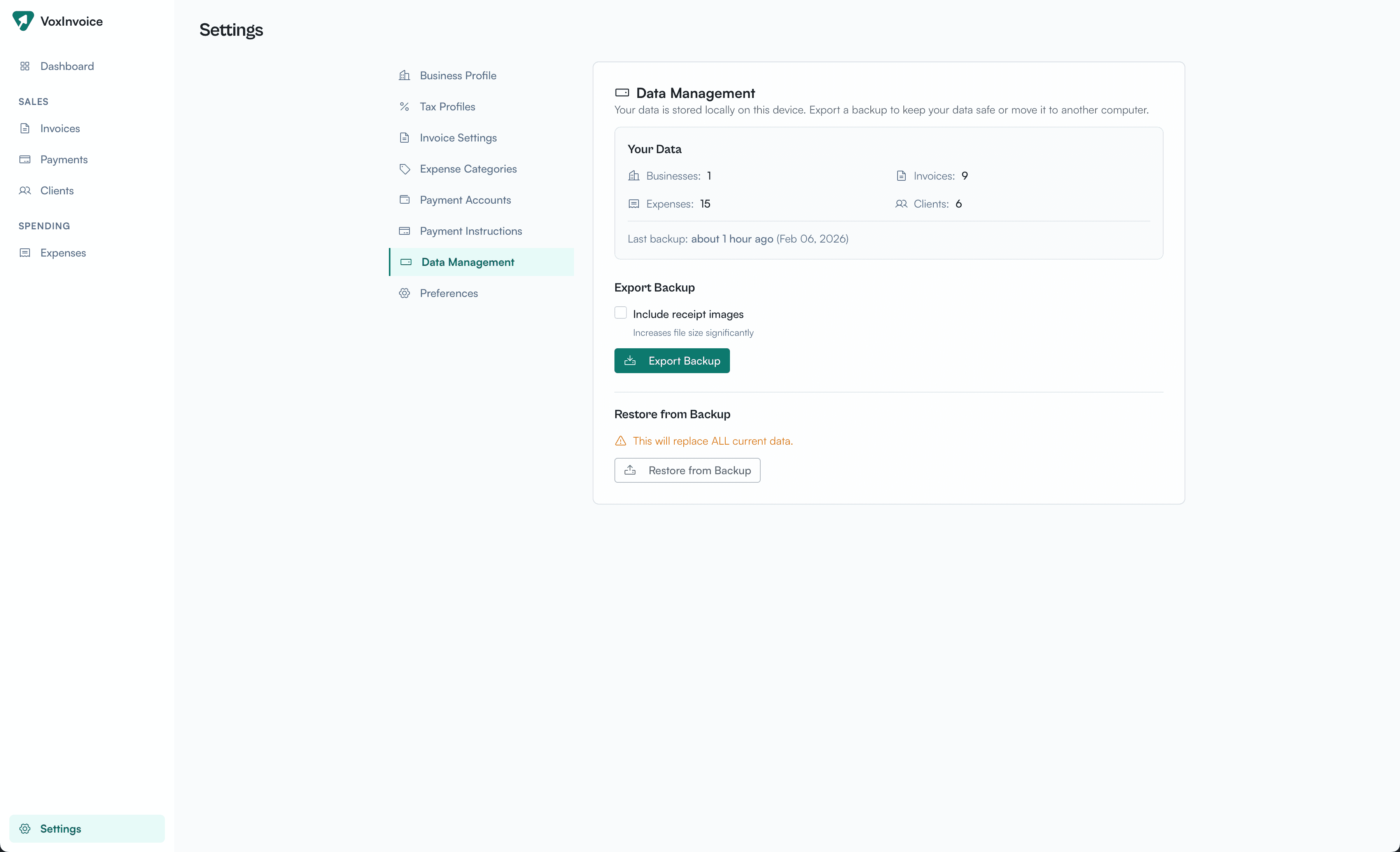
One-click backup. Full data export. You own everything.
This is how software used to work before everything moved to the cloud. Your documents lived on your computer. You backed them up yourself. You owned them.
We think that model still makes sense for a lot of use cases. Especially for freelancers and small businesses who don't need real-time collaboration. They just need to send invoices and track what they're owed.
Who VoxInvoice Is For
You might be a good fit if:
- You're a freelancer billing clients monthly
- You run a small agency with a handful of accounts
- You have a side business alongside your main job
- You work internationally and deal with multiple currencies
- You're in India and tired of fighting with GST calculations
- You value privacy and don't want another cloud service holding your data
- You've been using spreadsheets and they're starting to break down
You might not need VoxInvoice if:
- You're a large team that needs real-time collaboration (wait for Plus)
- You need inventory management or full accounting (we're invoicing, not ERP)
- You're already happy with your current tool (if it works, don't fix it)
Get Early Access
VoxInvoice is coming soon for macOS, Windows, and Linux.
Join the waitlist and be the first to know when we launch. No spam — just a single email when the app is ready to download.
Join the Waitlist
Free forever. No account required. Your data never leaves your device.
Just invoicing software that does what it says. No catch.
VoxInvoice is built by Codesign FZ-LLC. We're a small team that believes business software doesn't have to be complicated, expensive, or cloud-dependent. Questions? Reach out at hello@voxinvoice.com