6 updates

Product Updates

The latest features and improvements shipped in VoxInvoice. We build in the open — here's what's new.

Multi-Currency Invoicing with Live Forex Rates

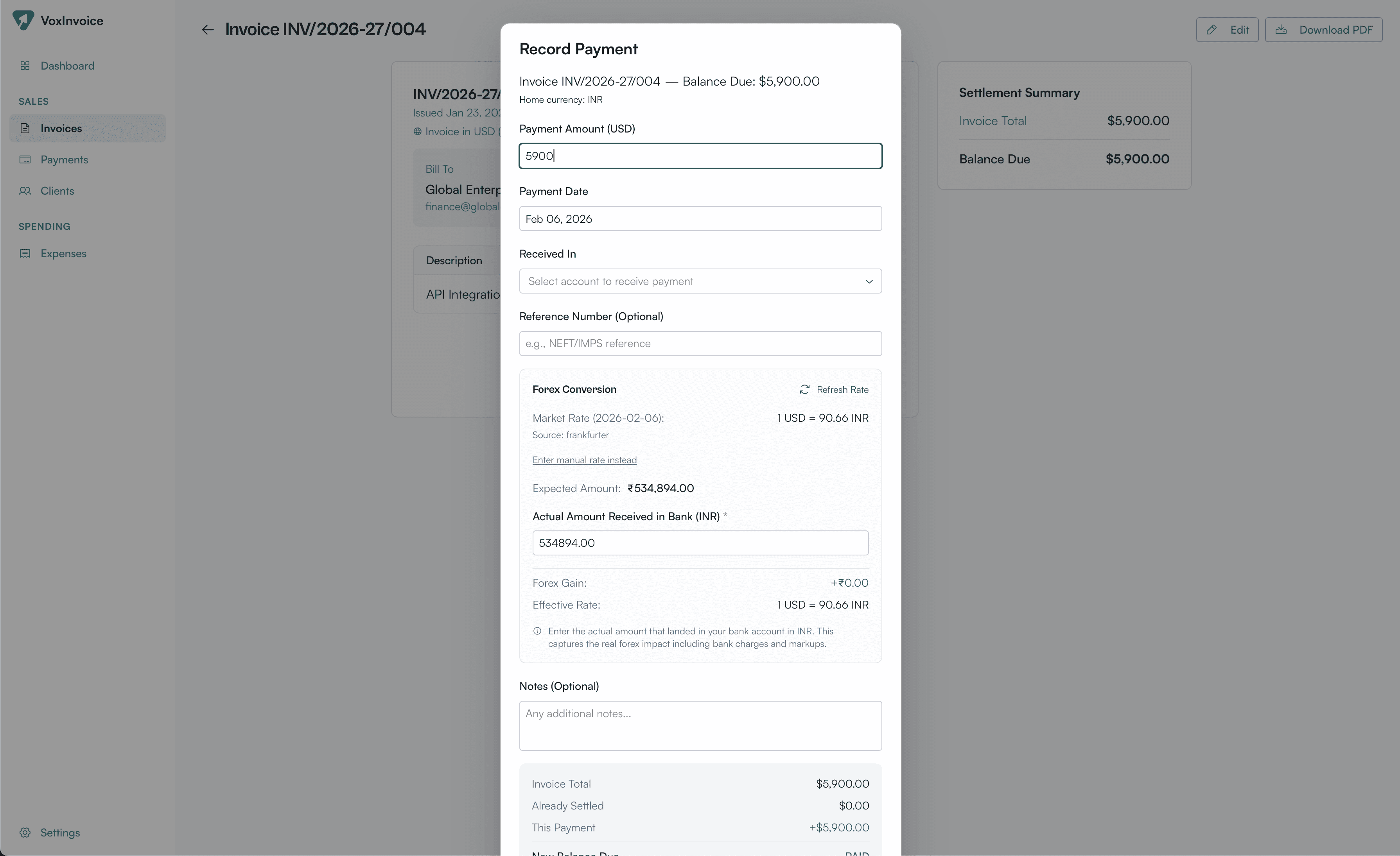
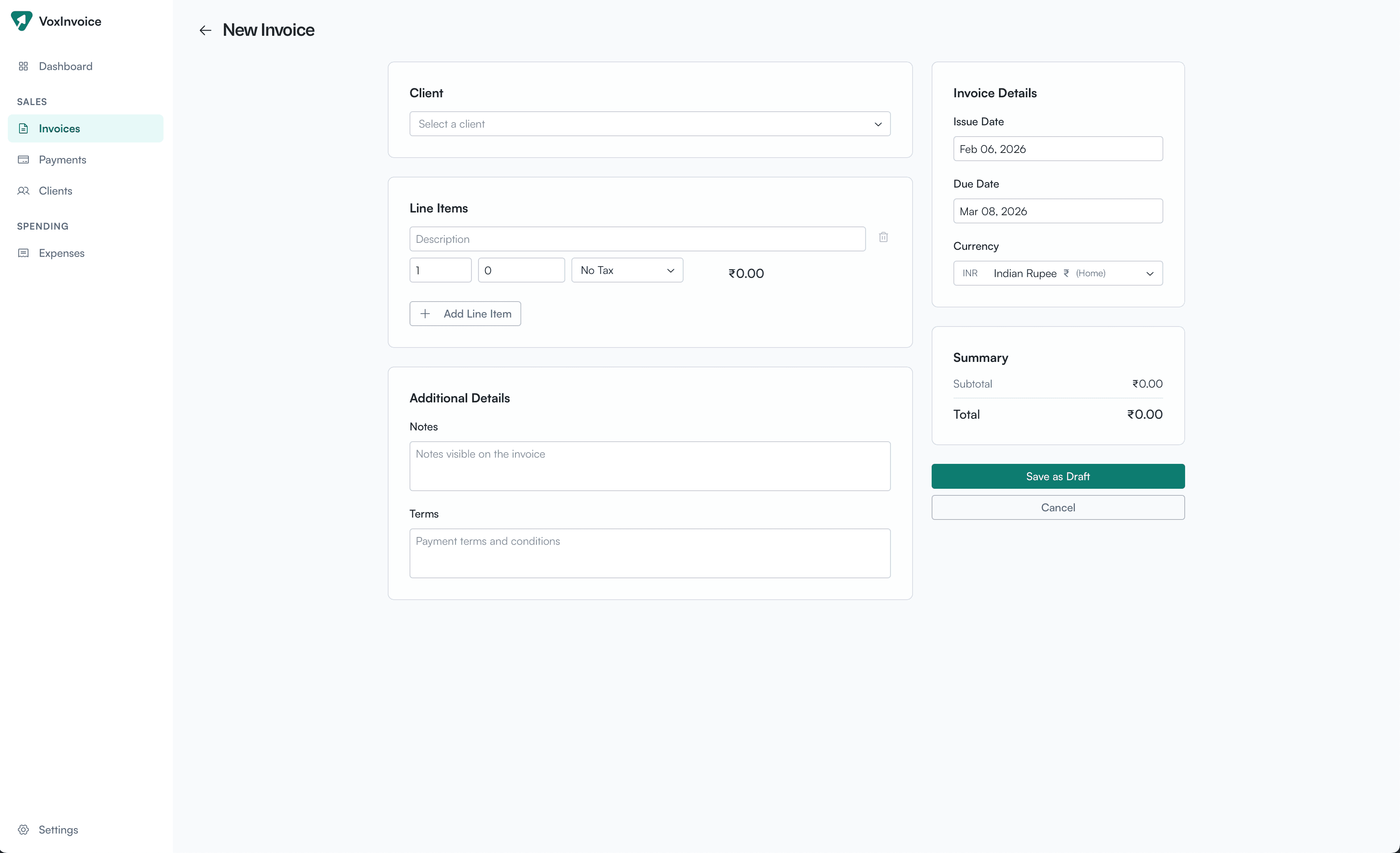
Invoice clients in any of 60+ currencies. When recording payments, VoxInvoice fetches live exchange rates from the Frankfurter API (backed by European Central Bank data) and automatically calculates forex gain or loss. Choose your invoice currency right from the new invoice form, and see the full conversion breakdown — market rate, expected amount, actual amount received, and effective rate — all in one place.

Recording a payment with live forex conversion showing market rate, expected and actual amounts
New invoice form with currency selector for multi-currency invoicing

Dashboard Analytics & Financial Overview

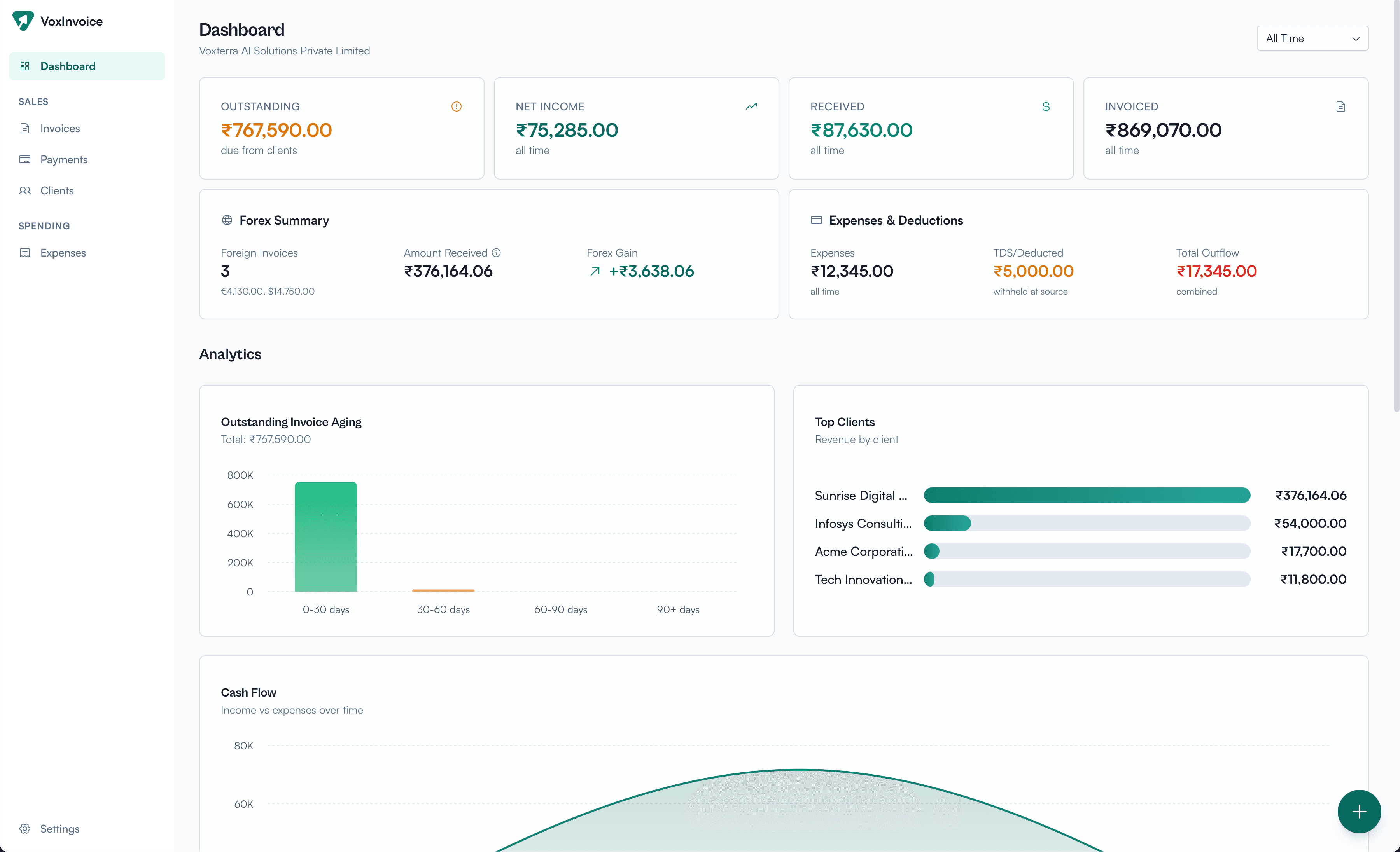
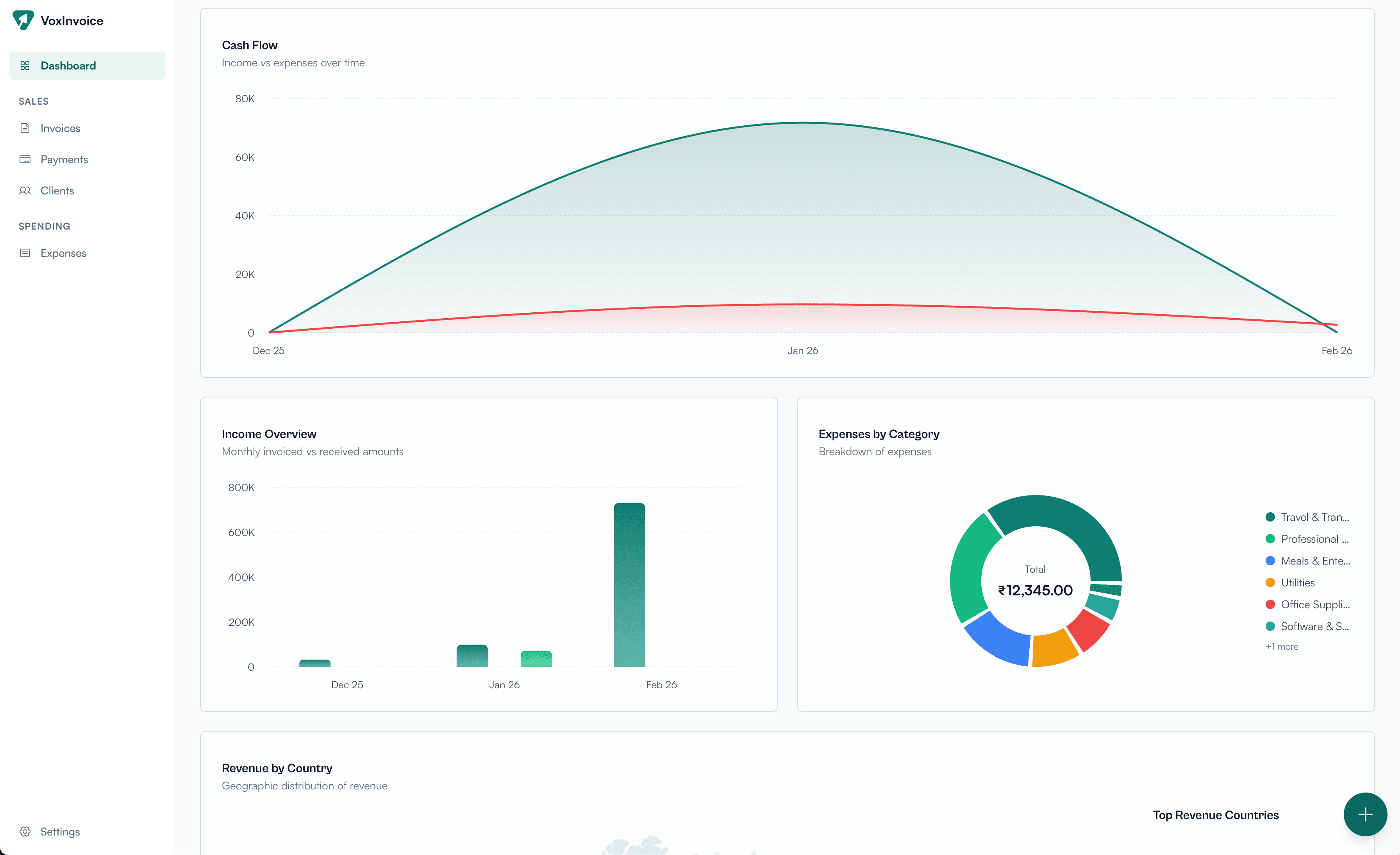
Your new home screen gives you a bird's-eye view of your business finances. See outstanding invoices, net income, total received, and total invoiced at a glance. The forex summary highlights foreign invoice performance and gain/loss. Below, interactive charts cover outstanding invoice aging, top clients by revenue, cash flow over time, income overview, expenses by category, and revenue by country.

Dashboard showing KPIs, forex summary, expenses, deductions, and analytics charts
Cash flow chart, income overview, and expenses by category breakdown

Invoice Management: Create, Track & Get Paid

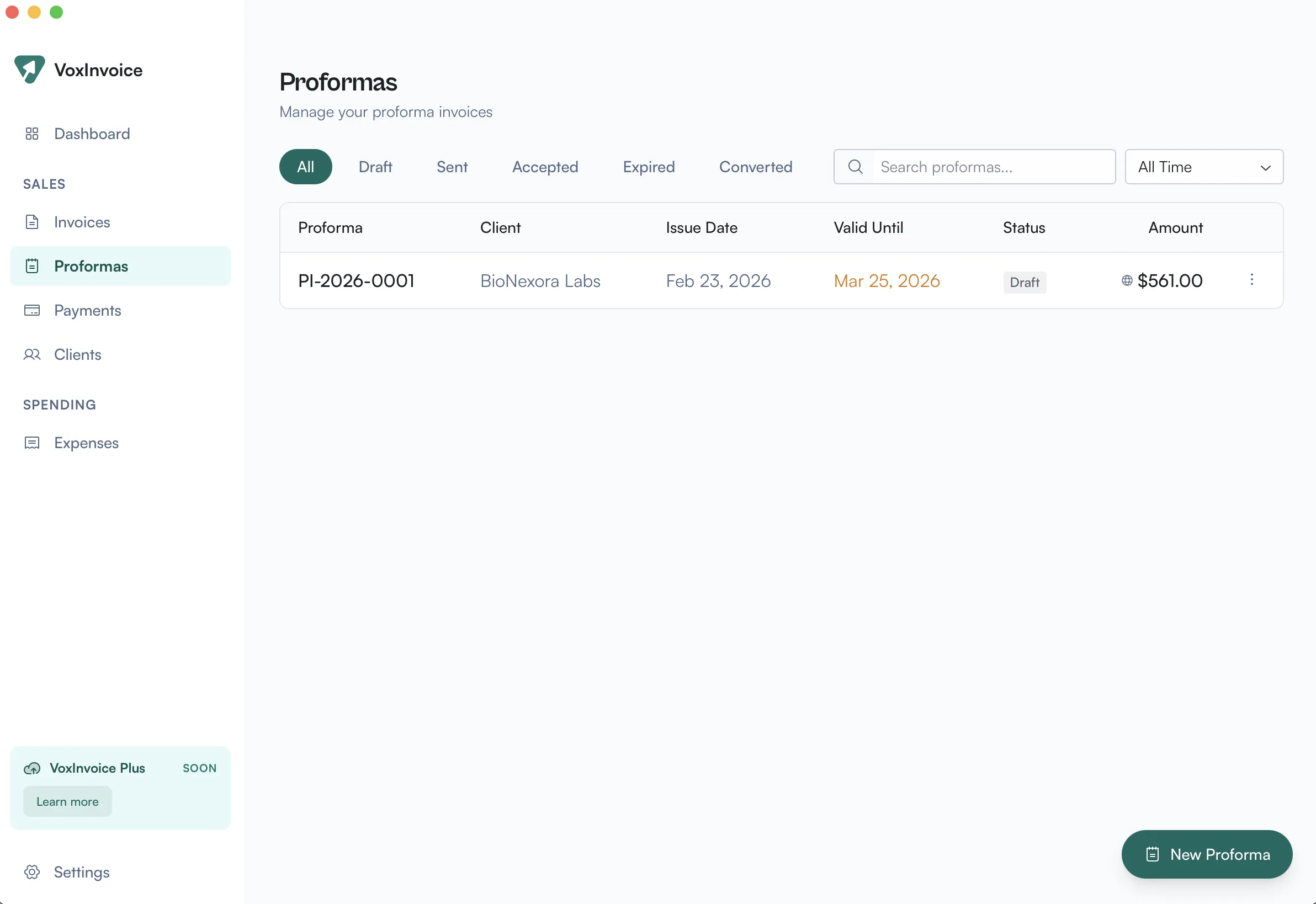
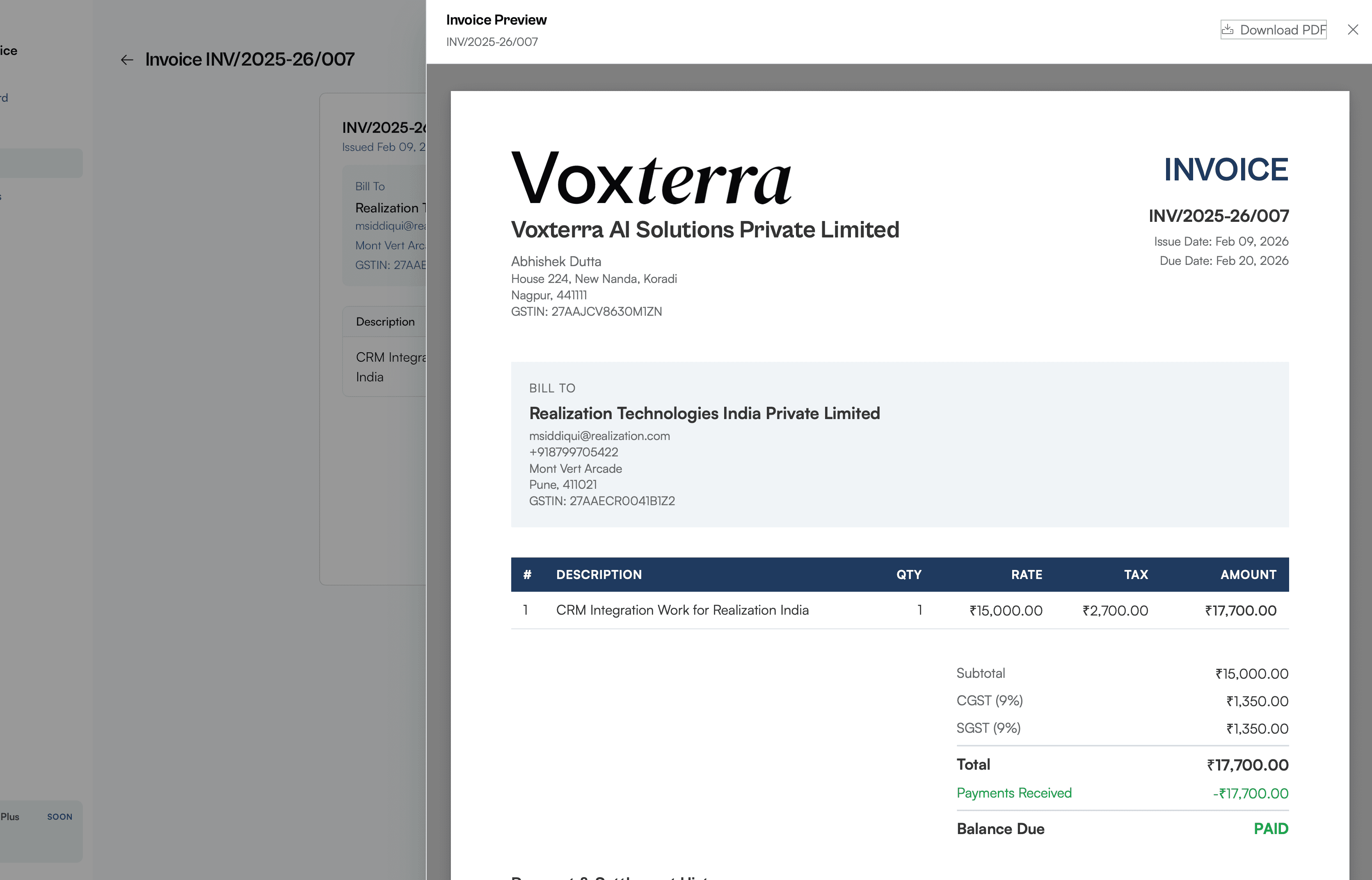
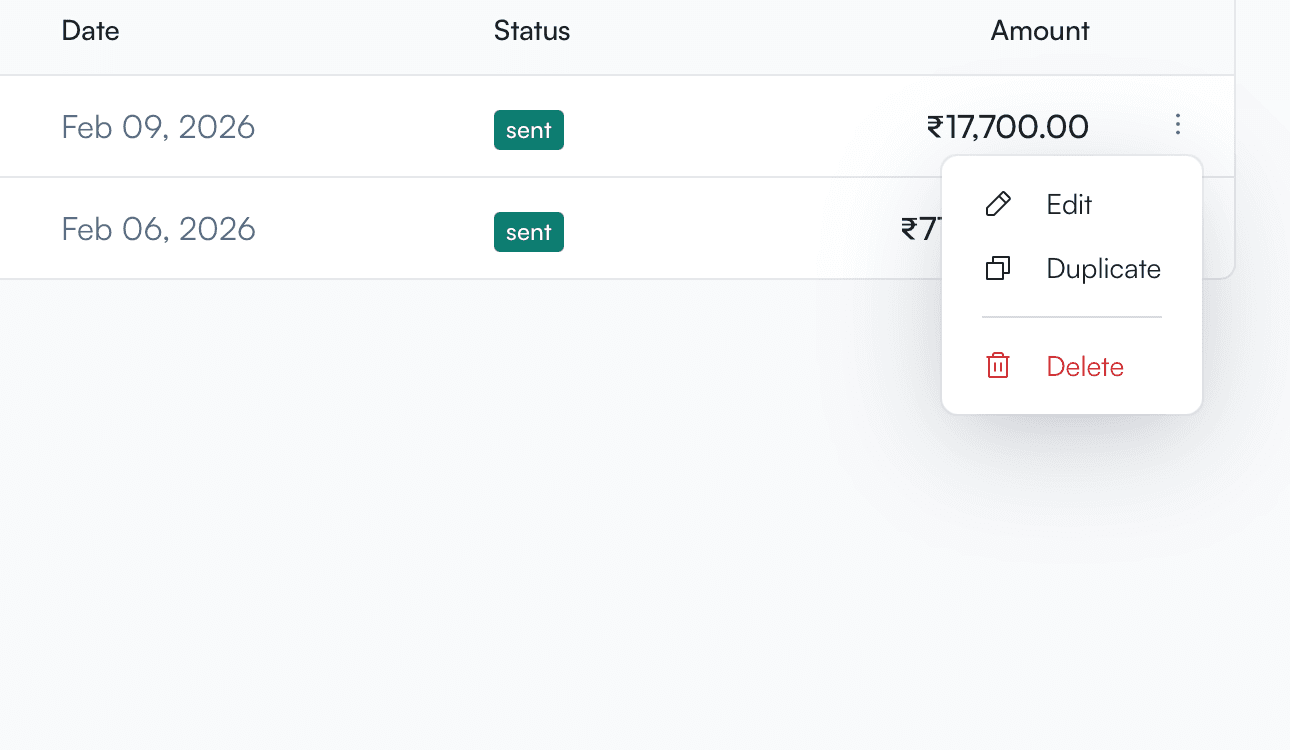
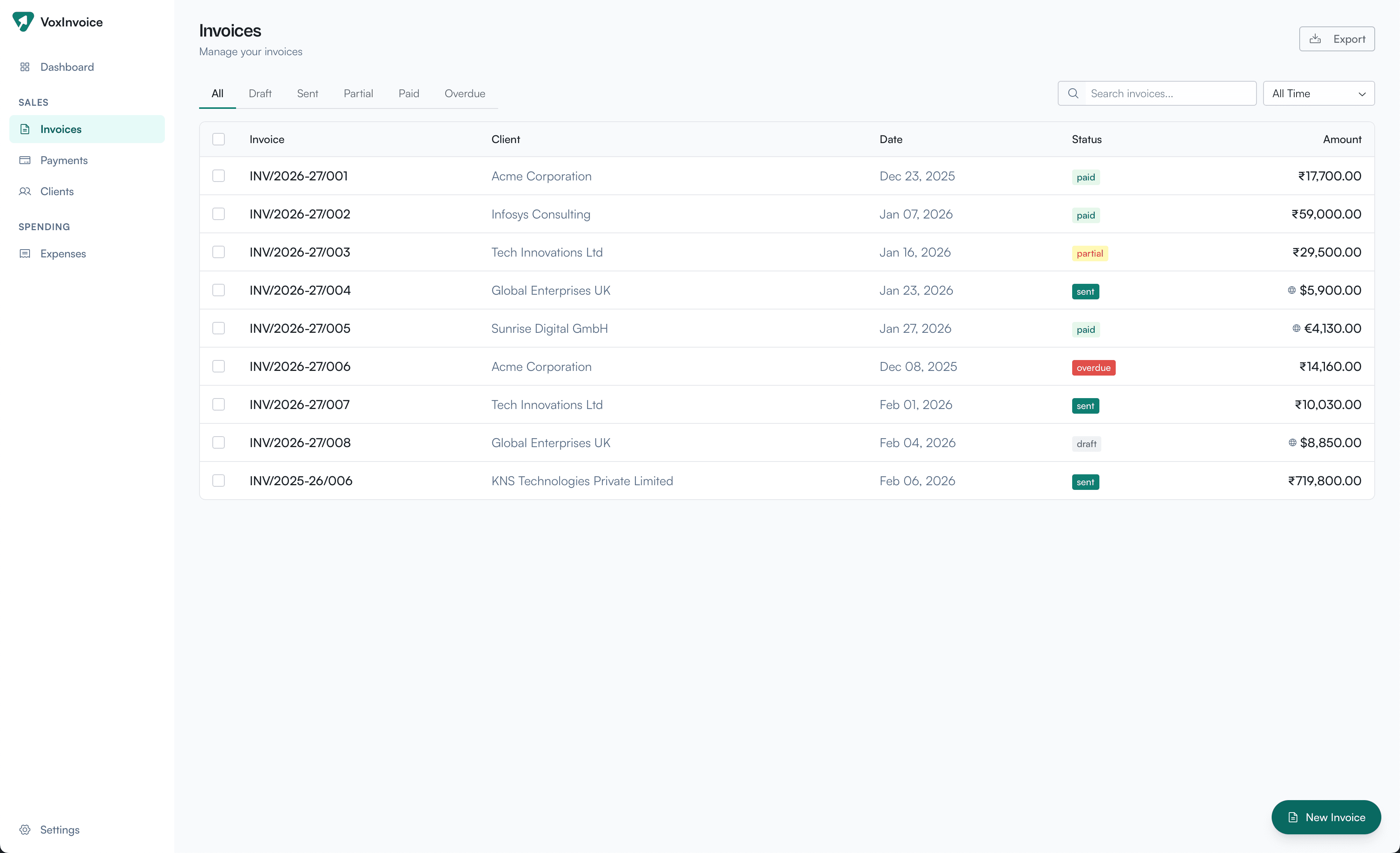
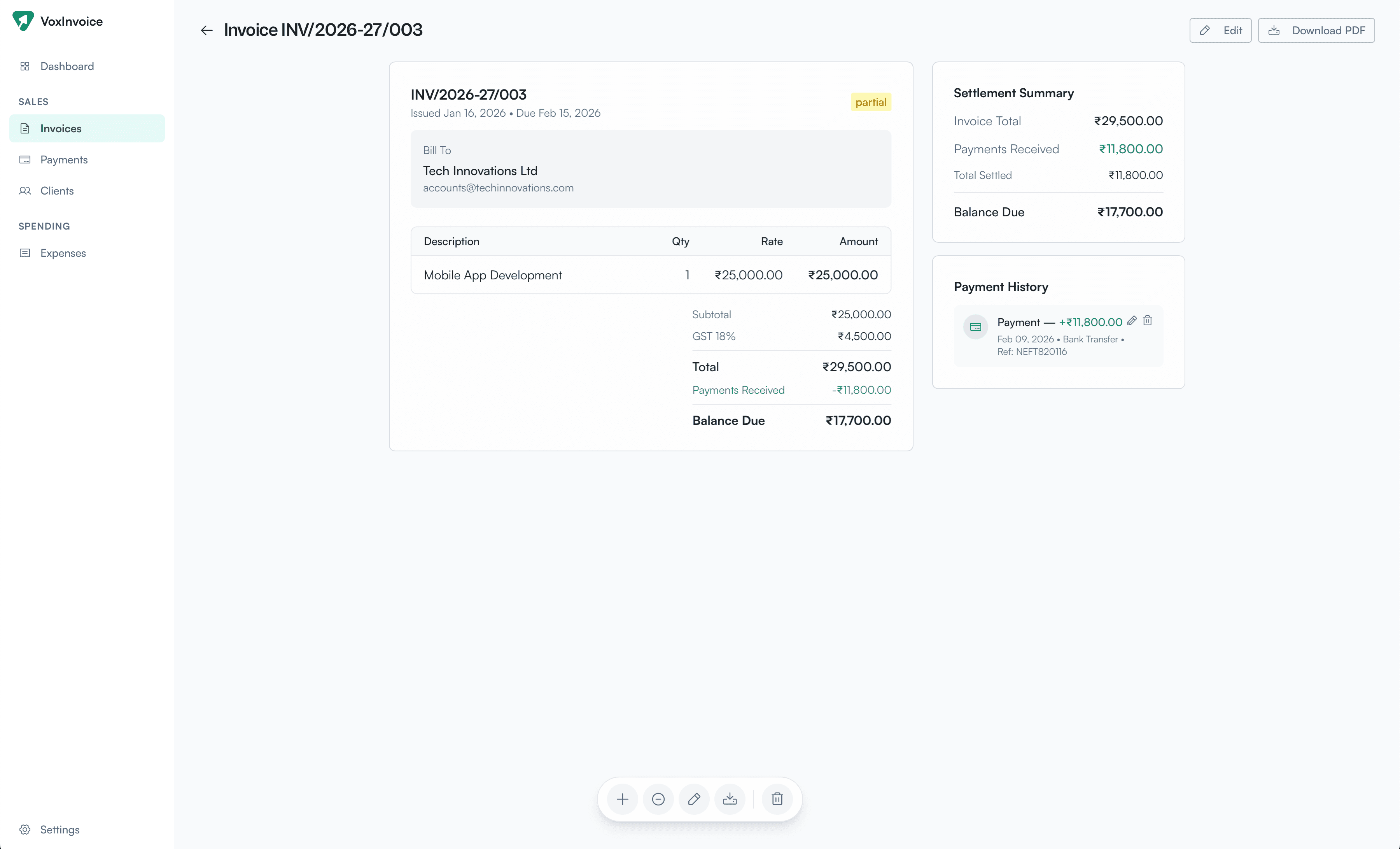
The invoices page now gives you full control over your billing workflow. Filter by status — draft, sent, partial, paid, or overdue — and search across all invoices instantly. Drill into any invoice to see line items, tax breakdowns, payment history, and the full settlement summary showing what's been received and what's still outstanding. Record payments, download PDFs, duplicate, or add notes — all from one screen.

Invoices list with status filters, search, and export functionality
Invoice detail view with line items, settlement summary, and payment history

Expense Tracking & Categorization

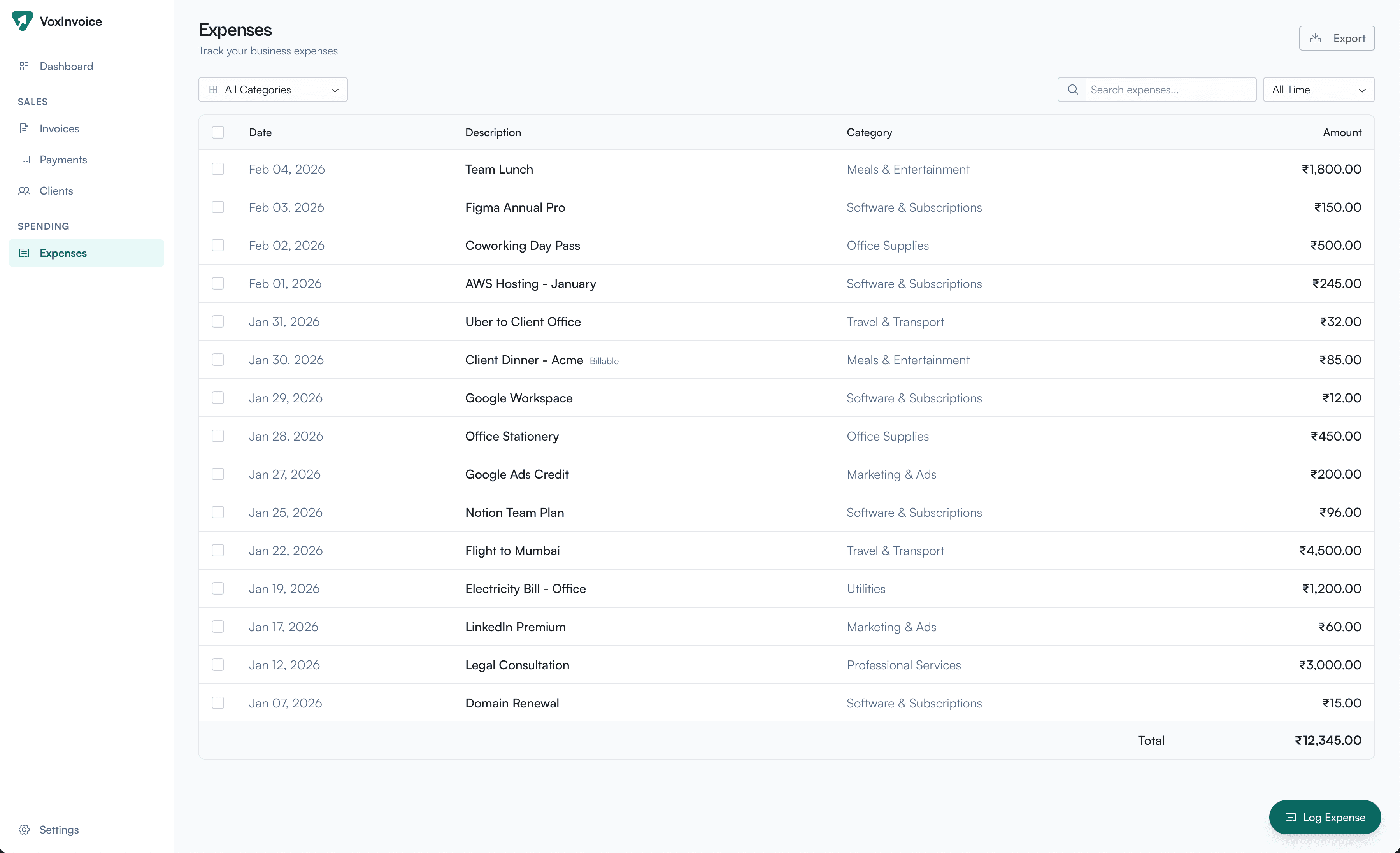
Keep tabs on every business expense in one place. Log expenses with categories like Travel, Software, Office Supplies, Professional Services, and more. Filter by category or date range, search by description, and export your expense data anytime. The running total keeps you aware of your overall spending at a glance.

Expenses list with category filters, search, and running total

Business Profile & Multi-Business Support

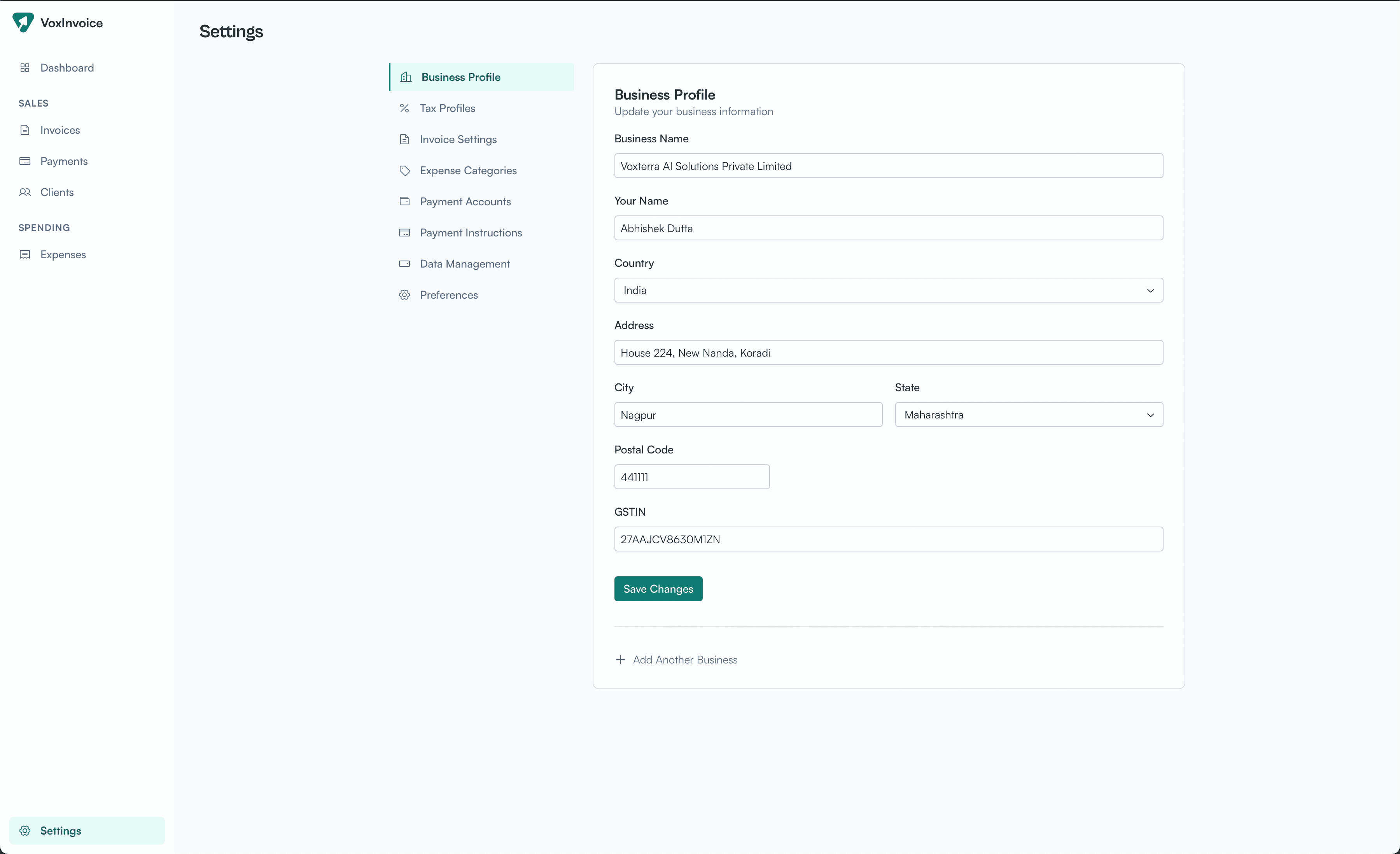
Set up your business profile with all the details that matter — name, address, country, state, GSTIN, and more. Running more than one business? Add as many as you need and switch between them seamlessly. Each business gets its own invoices, clients, expenses, and settings.

Business profile settings with form fields and multi-business support

Local-First Data Management & Backups

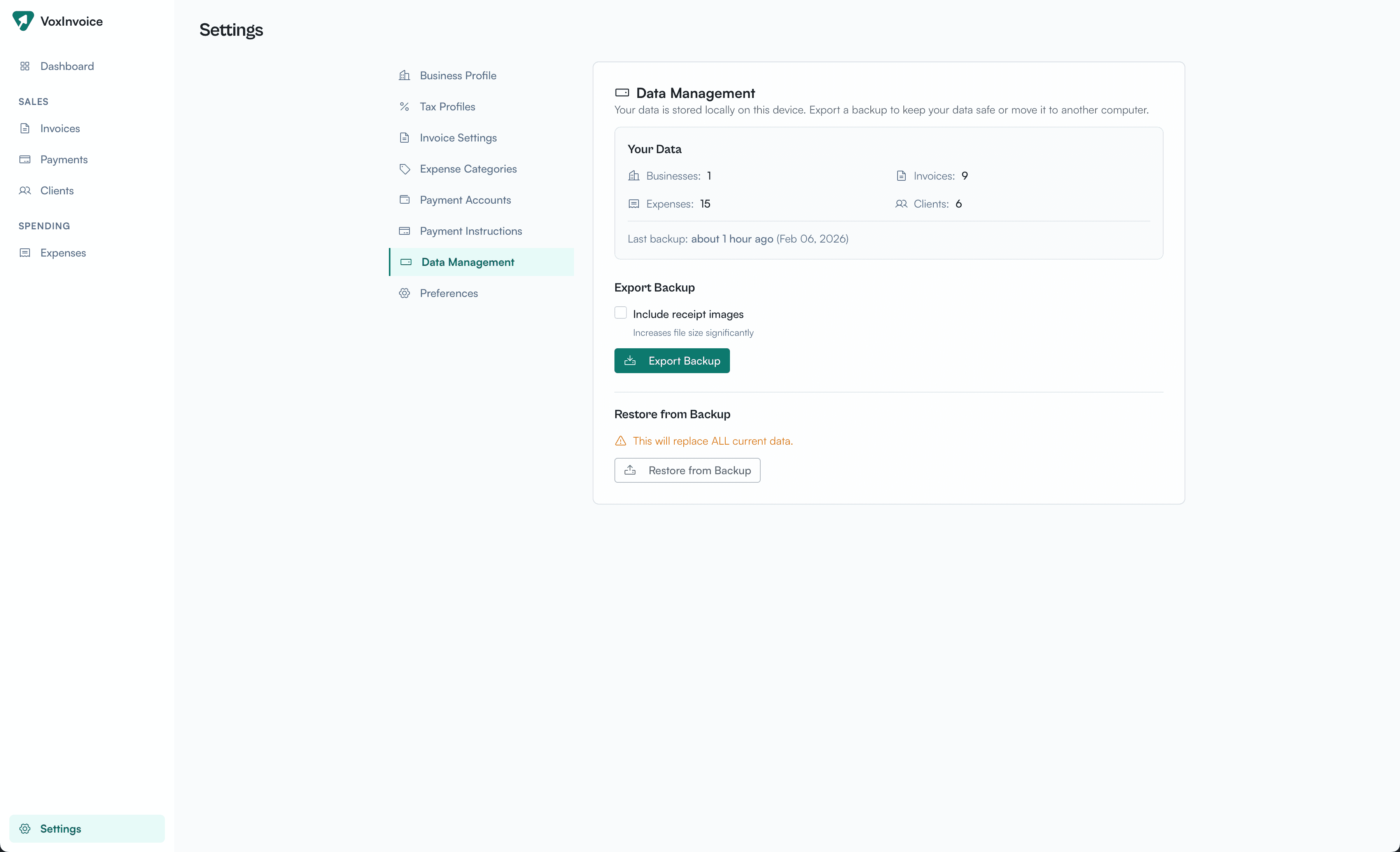
Your data lives on your device — always. The data management screen shows exactly what's stored: businesses, invoices, expenses, and clients. Export a full backup (optionally including receipt images) anytime, and restore from a backup to move your data to another machine. No cloud dependency, no subscriptions, no surprises.

Data management settings with backup export and restore options