Sending similar invoices to the same client? Now you can duplicate any existing invoice with a single click. Hit the three-dot menu on any invoice row, choose Duplicate, and a new draft is created with all the line items, tax details, and client info carried over. Just tweak what's changed — dates, amounts, notes — and you're ready to send. No more re-entering the same details from scratch.
How to get started
- 1Go to Invoices from the left sidebar
- 2Click the three-dot menu (⋮) on any invoice row
- 3Select Duplicate from the context menu
- 4A new draft invoice is created with all details carried over
- 5Edit any fields you need to change — dates, amounts, notes
- 6Press Save to finalize the new invoice
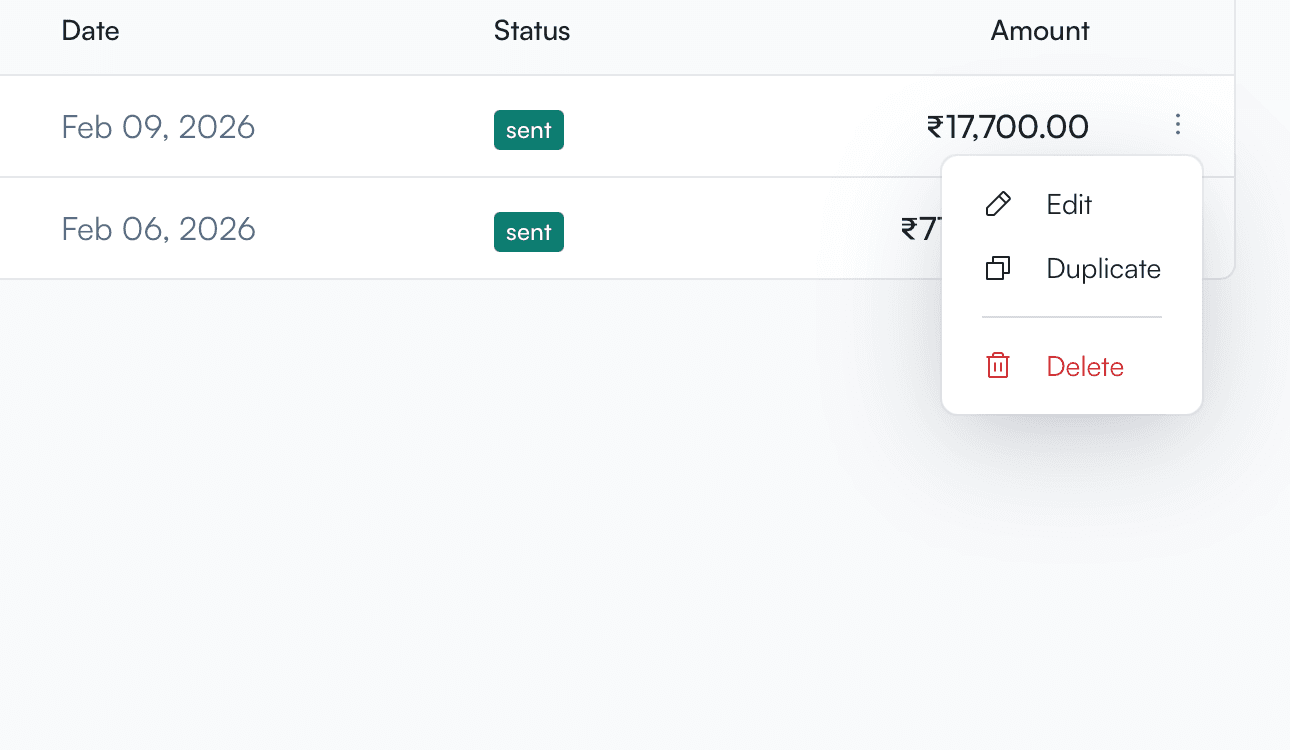
Invoice list showing the three-dot context menu with Edit, Duplicate, and Delete options